
Make a useful study routine.
Read, highlight, practise and plan. Start with one section and build from there.
Try a section, then set up your course
Open Free notes, choose SL or HL and read a complete sample. Try the four-colour highlighter. Create a free account or sign in from that section to continue in the same course and guide edition. Verify your email, confirm you are 13 or older and review the suggested course choices. Existing accounts keep their saved study profile.
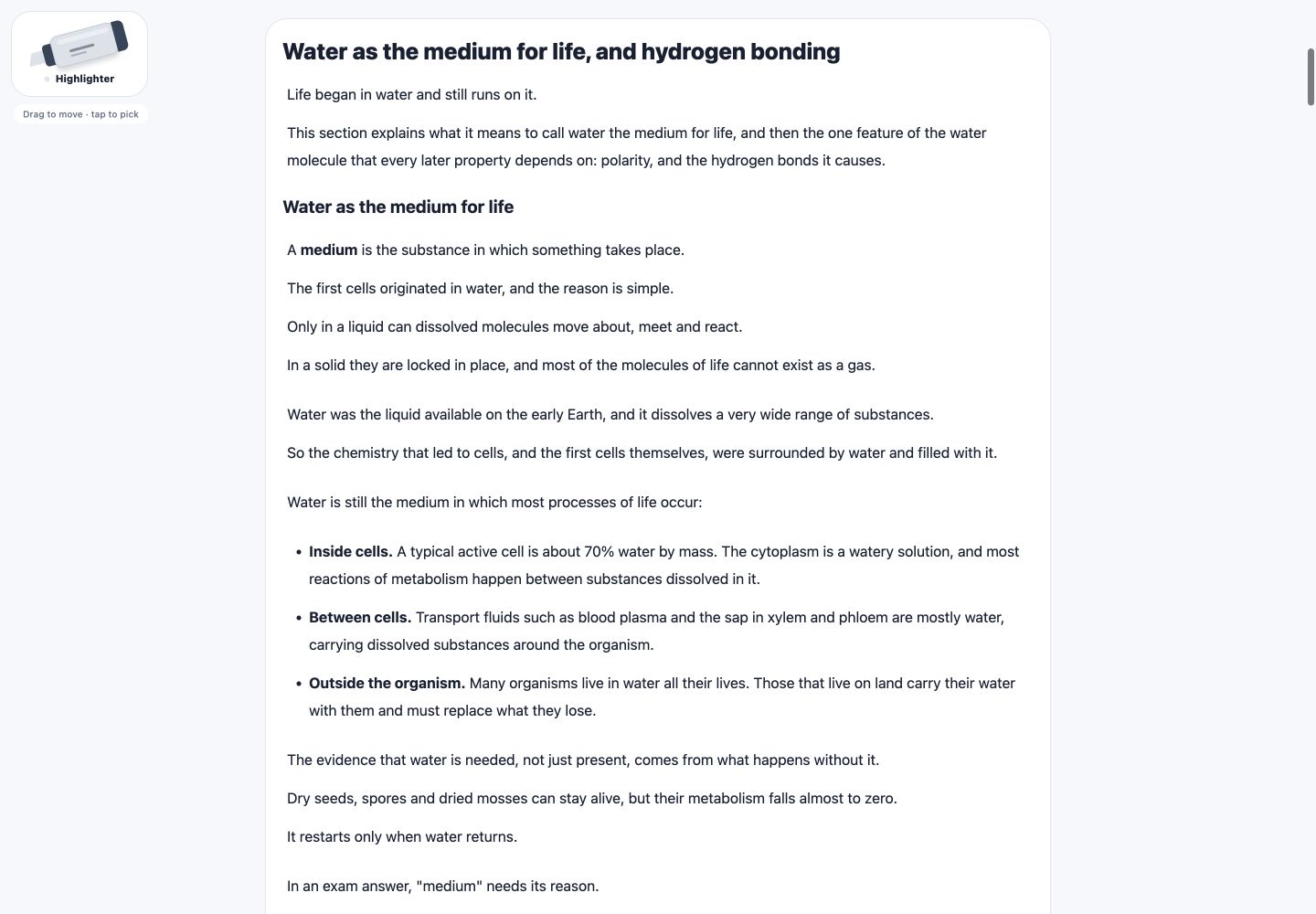
Start with the topic hub
Choose Study, your subject and a unit. The topic hub brings together Notes, Practice, Study booklet and Confidence. Practice sections vary by unit and level. Generated unofficial IB-style practice is a separate action that uses tokens; review its options before starting. The booklet collects the existing authored notes and available practice for reading. Download one section PDF from the notes reader, or one unit checklist from its Checklist tab. Basic, Plus and Pro include downloads; tokens or weekly allowances apply. A failed preparation is not charged, and retrying the same download does not charge twice.
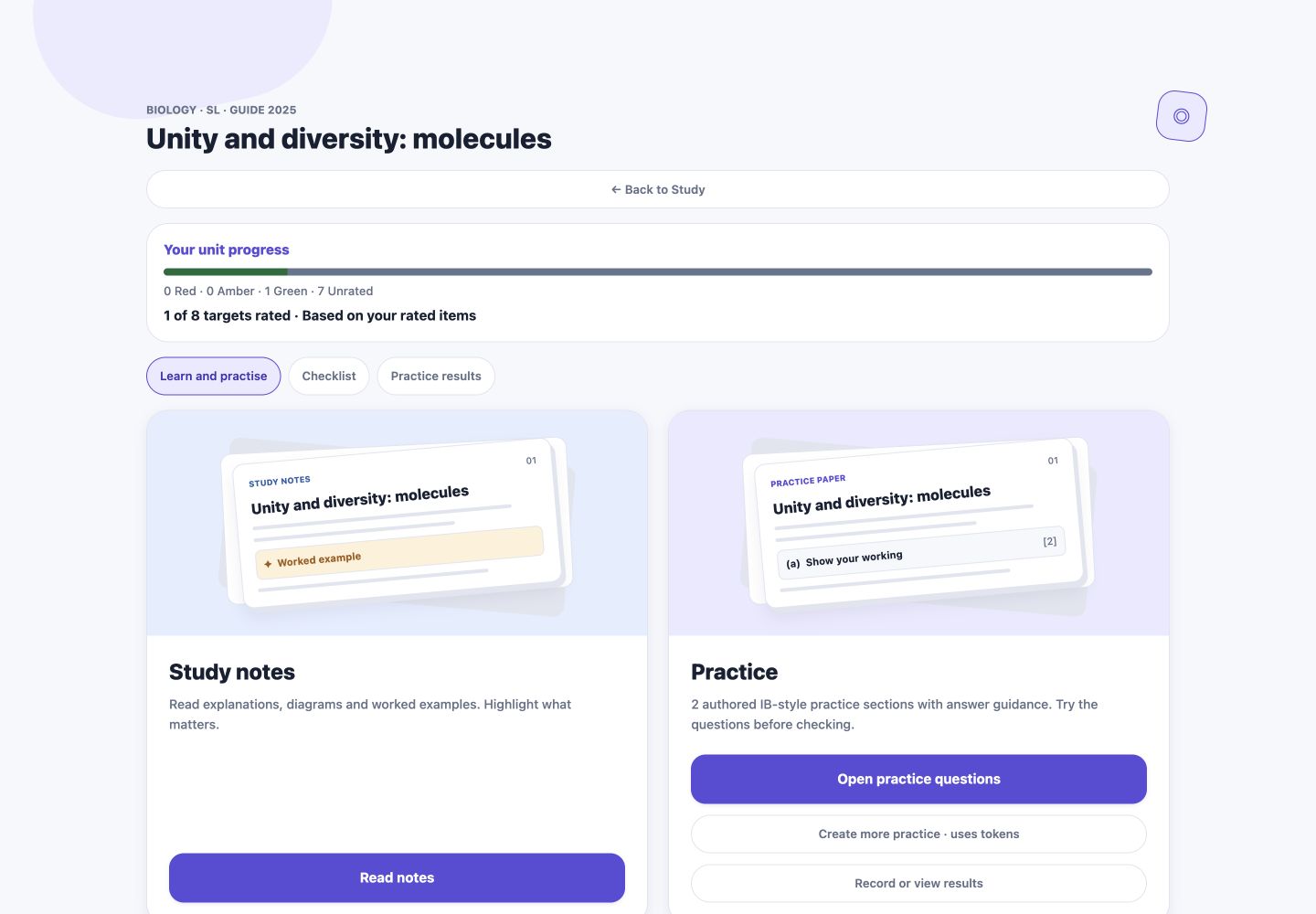
Read, highlight and return
Open Read notes and expand a section. Pick up the highlighter, choose Key idea, Definition, Exam tip or Revisit, and tap a passage. Change its colour or choose the eraser. Signed-in marks appear in My highlighted notes; open a saved passage to return to its context. Public trial marks disappear when you leave or refresh.
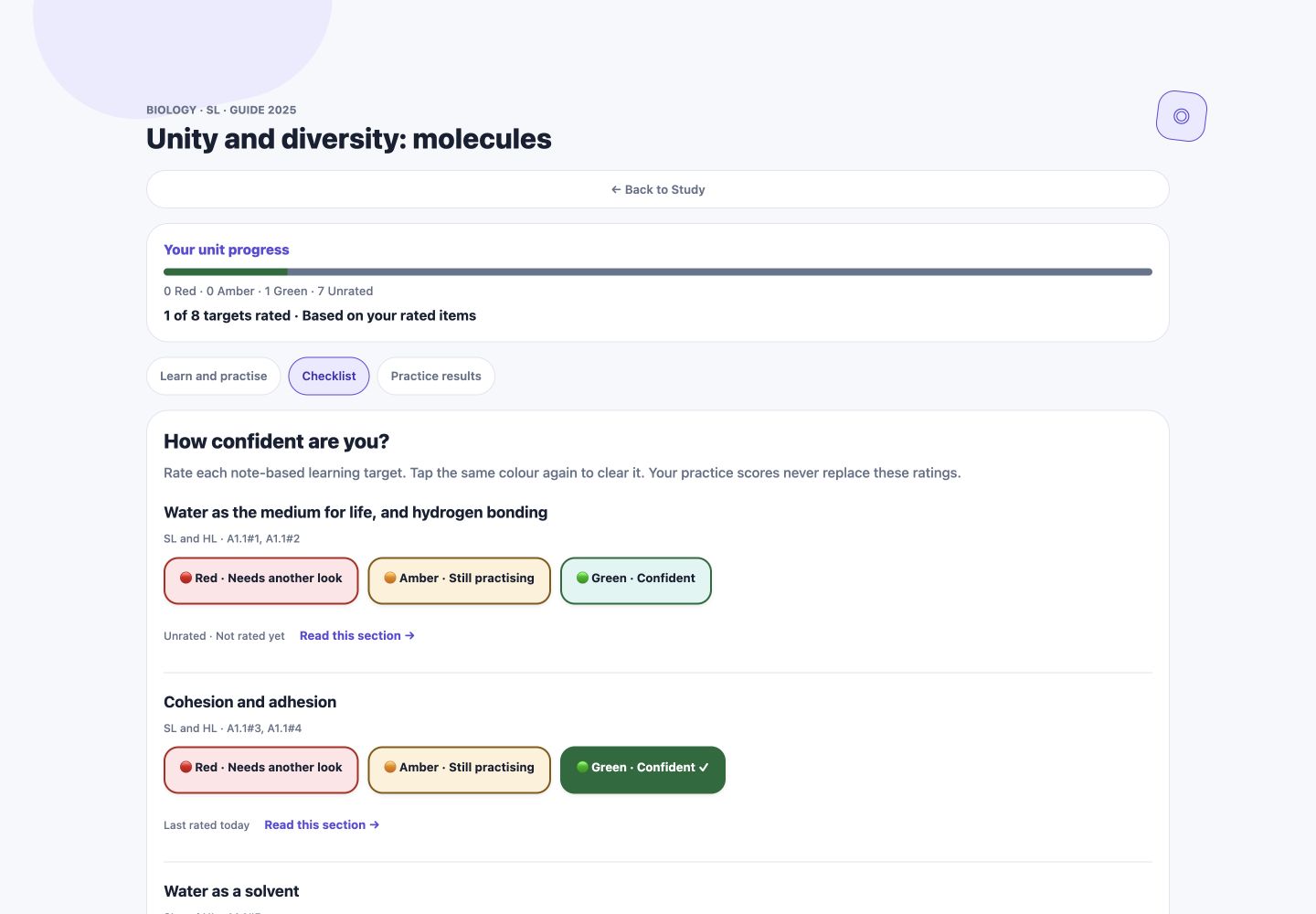
Check your confidence honestly
Open the confidence checklist. Rate each learning target red for another look, amber for more practice or green for confident. Untouched targets stay Unrated. Tap the same colour again to clear a rating. These are your own judgements, not exam grades. Use Read this section to revisit the explanation.
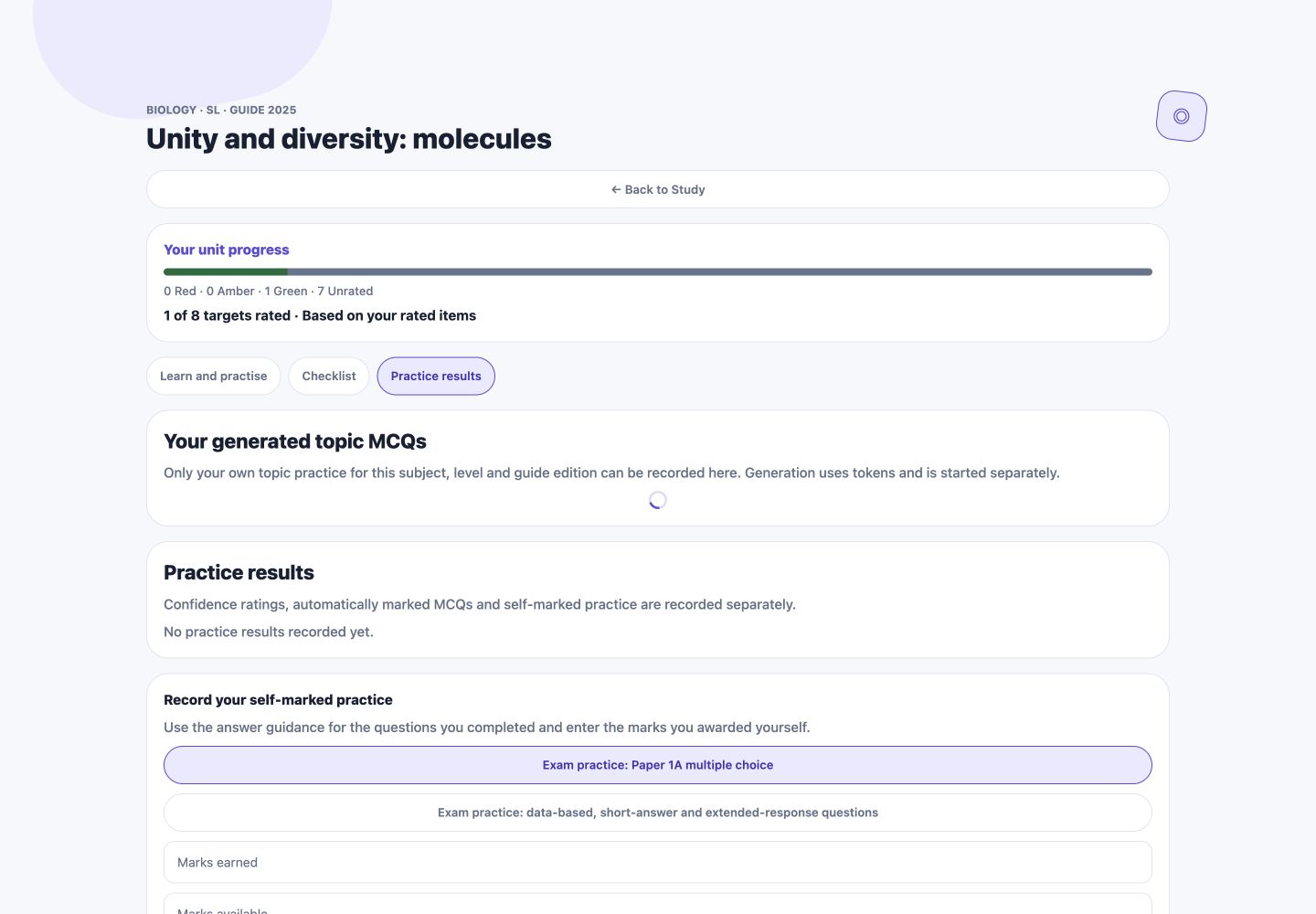
Practise and keep results separate
Try the available practice questions before revealing answer guidance. In Practice results, record the marks you award yourself. Matching generated topic MCQs can be submitted for automatic marking. For a generated written paper, choose Write or upload answers. Type answers or add photos; on the website you can also upload a whole PDF and check which question parts appear on each page. AI marking requires a paid Basic, Plus or Pro plan; free and pilot access can use self-marking instead. Tokens alone do not unlock AI marking. AI marking uses the paper’s IB-style mark scheme and provides formative feedback. Self-marked practice, MCQ results, AI marks, teacher-reviewed marks and confidence ratings remain separately labelled. A high confidence rating is not evidence of a high score.
Plan towards May or November
Open Study timetable, choose subjects and accessible units, then a short horizon or an IB May/November exam session. The first day of the selected session month is an estimated planning target, not an exact paper date; check your school’s dates. Saved checklist ratings prioritise weaker areas when the plan is created. Later ratings do not move existing sessions. Create a new timetable to apply fresh priorities.
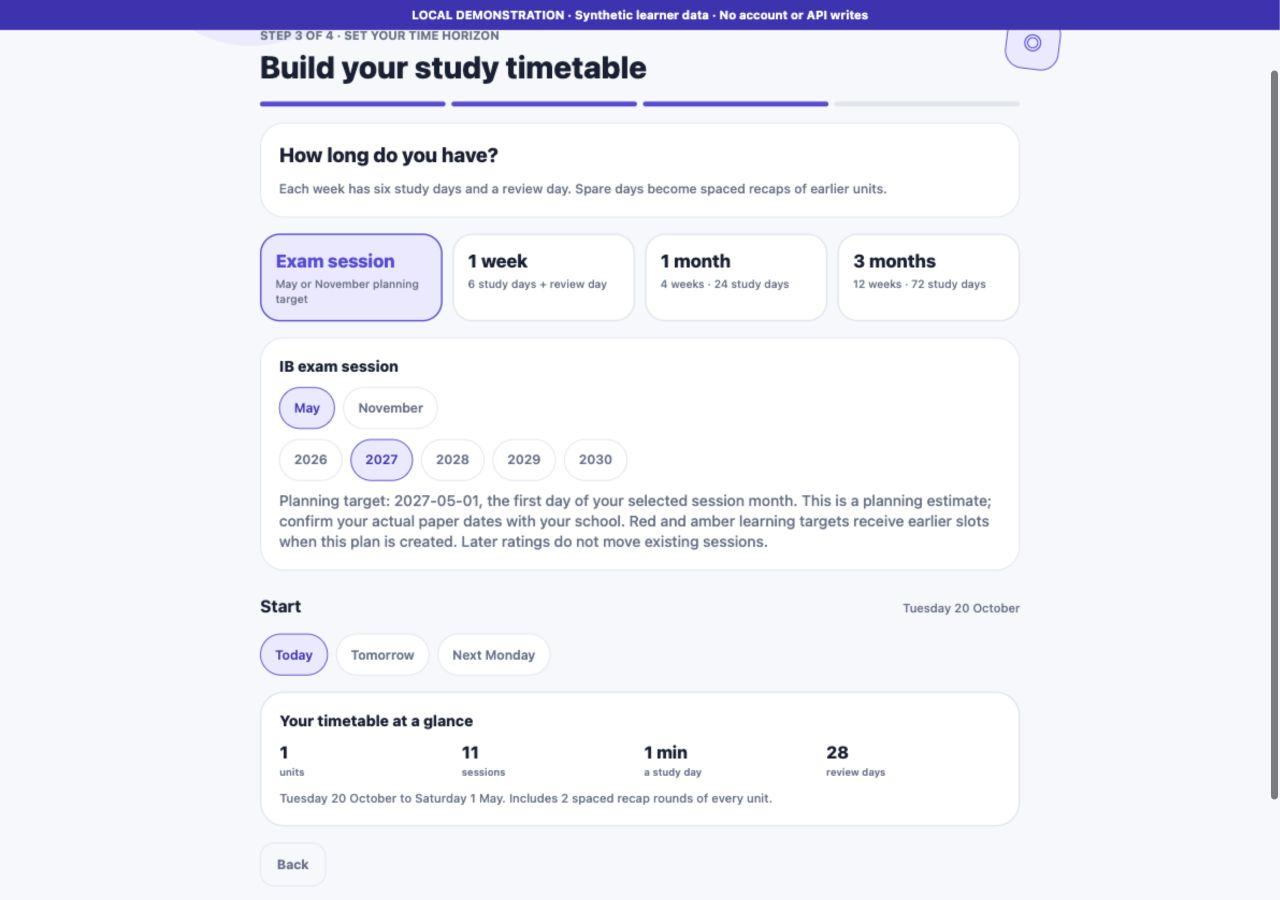
Build a manageable weekly routine
Tick sessions only after completing them. Follow the links to catch up on missed sections. Each week ends with a review. Choose a study time, subscribe to your private calendar for supported alerts and opt in to weekly summary emails if you want them. Keep calendar subscription links private. Email summaries can be stopped from your plan or the email’s unsubscribe link.
Create and find saved resources
Create lets you choose supported worksheets, organisers, flashcards or unofficial IB-style practice. Check subject, SL/HL, guide edition, format and token cost before submitting. Generation runs in the background. Ready resources appear in Library. Availability depends on the selected course and supported formats.
Choose what your teacher can see
In Connections, inspect a class invitation and confirm its teacher, subject, level and guide edition. The consent screen explains the exact progress shared. Older connections share timetable progress only until you explicitly agree to the additional learning-target and practice-result sharing. Your highlights and other subjects stay private. Your submitted answers and page images are shared only if you separately ask the connected teacher for that exact course to review an AI marking. Their reviewed marks then replace the AI marks. Disconnect at any time to stop future dashboard access.
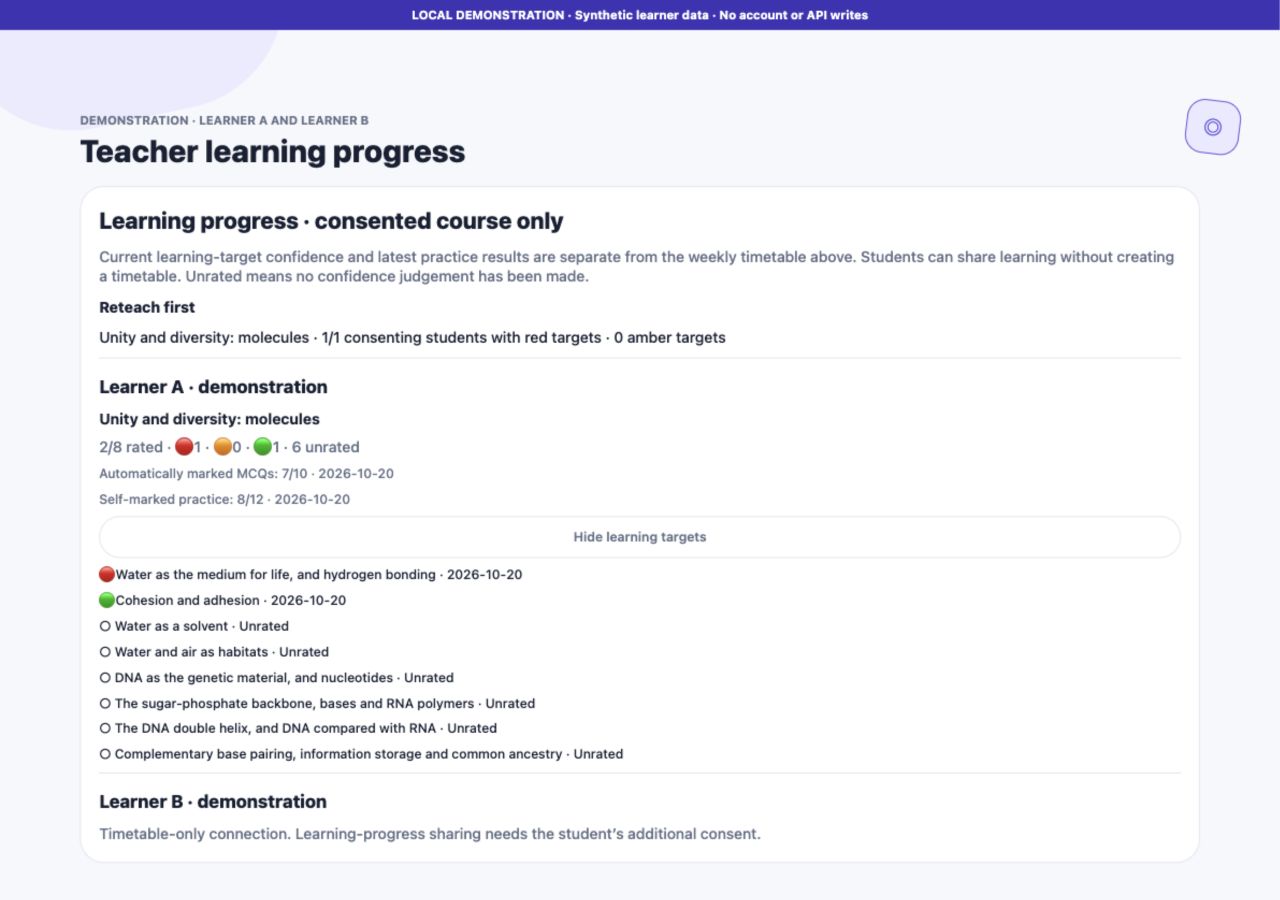
If something does not load
Retry the page and check your internet connection. Check SL/HL and guide edition in Profile if the course does not match. A locked unit requires a paid plan; the first unit of every available subject is free. A missing practice format stays unavailable rather than switching subjects or levels. Open Profile for plans, appearance settings, security and account deletion.